
Author

How to Keep Your Smartphone Fast: In today’s digital world, a smartphone has become an essential part of daily life. From digital payments to entertainment, everything depends on it. However, most users rarely give their phones a break, keeping them on continuously. According to technology experts and analysis from Reader’s Digest and leading battery manufacturers, restarting your phone at least once a week can significantly improve its performance. This simple habit works like a “digital therapy” for your device.
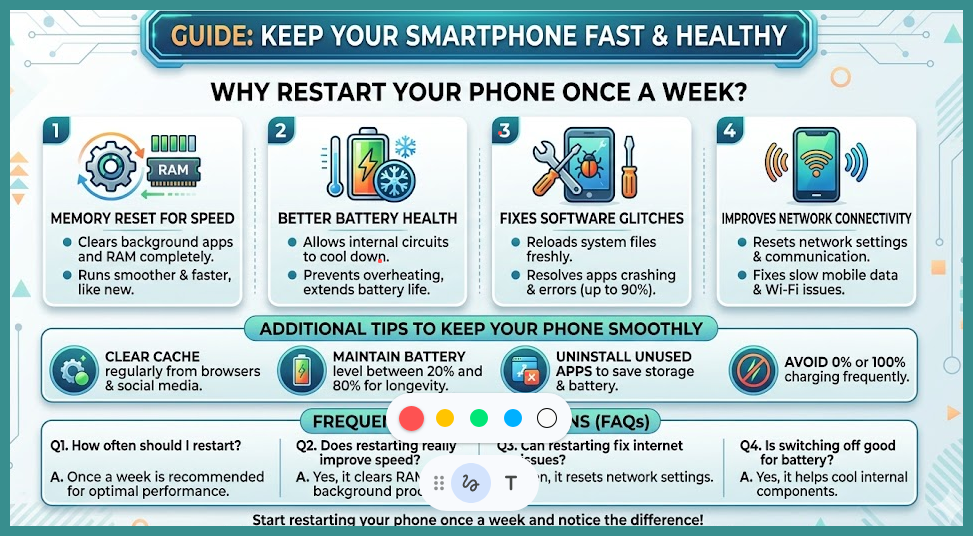
Why Restarting Your Phone Once a Week Improves Performance
1. Memory Reset for Faster Speed
Even after closing apps, many continue running in the background and consume RAM. Over time, hundreds of such processes slow down the device and may cause it to hang. Restarting your phone clears all background apps completely, freeing up RAM. As a result, the device runs smoother and faster, almost like new.
2. Better Battery Health
Keeping your phone on all the time leads to continuous chemical activity inside the battery, which may cause overheating. Turning off your phone for even one minute a week allows internal circuits to cool down. This helps prevent battery leakage and extends overall battery life.
3. Fixes Software Glitches
Smartphone operating systems receive regular updates. Sometimes, minor coding errors can cause apps to crash, cameras to malfunction, or features to stop working. Restarting reloads all system files freshly, resolving up to 90% of such software glitches.
4. Improves Network Connectivity
Users often face issues like slow mobile data or Wi-Fi not working despite strong signals. These problems can occur due to communication gaps between the phone’s modem and network towers. Restarting resets network settings, which can improve connectivity and speed.
Additional Tips to Keep Your Smartphone Running Smoothly
- Clear cache data from browser and social media apps regularly through settings
- Avoid draining the battery completely to 0% or charging it fully to 100%
- Maintain battery levels between 20% and 80% for better longevity
- Uninstall unused apps to save storage and reduce battery consumption
FAQs on How to Keep Your Smartphone Fast
1. How often should I restart my smartphone?
Restarting your phone once a week is recommended for optimal performance.
2. Does restarting really improve phone speed?
Yes, it clears RAM and background processes, making the phone run faster.
3. Can restarting fix internet issues?
Restarting can reset network settings and often resolves connectivity problems.
4. Is it good for battery health to switch off the phone?
Yes, turning off your phone occasionally helps cool internal components and improves battery lifespan.
5. Should I delete cache regularly?
Yes, clearing cache helps free up space and improves app performance.
Start restarting your phone once a week and notice the difference in speed and performance.
Disclaimer on How to Keep Your Smartphone Fast
This article is for informational purposes based on expert analysis and general smartphone usage guidelines.
Also READ: Top 5 Essential Government Apps for Every Indian Citizen to Save Time and Money